> ## Documentation Index
> Fetch the complete documentation index at: https://dshtauri.mintlify.site/llms.txt
> Use this file to discover all available pages before exploring further.
# 归档管理
> 搜索、恢复或删除已归档聊天。
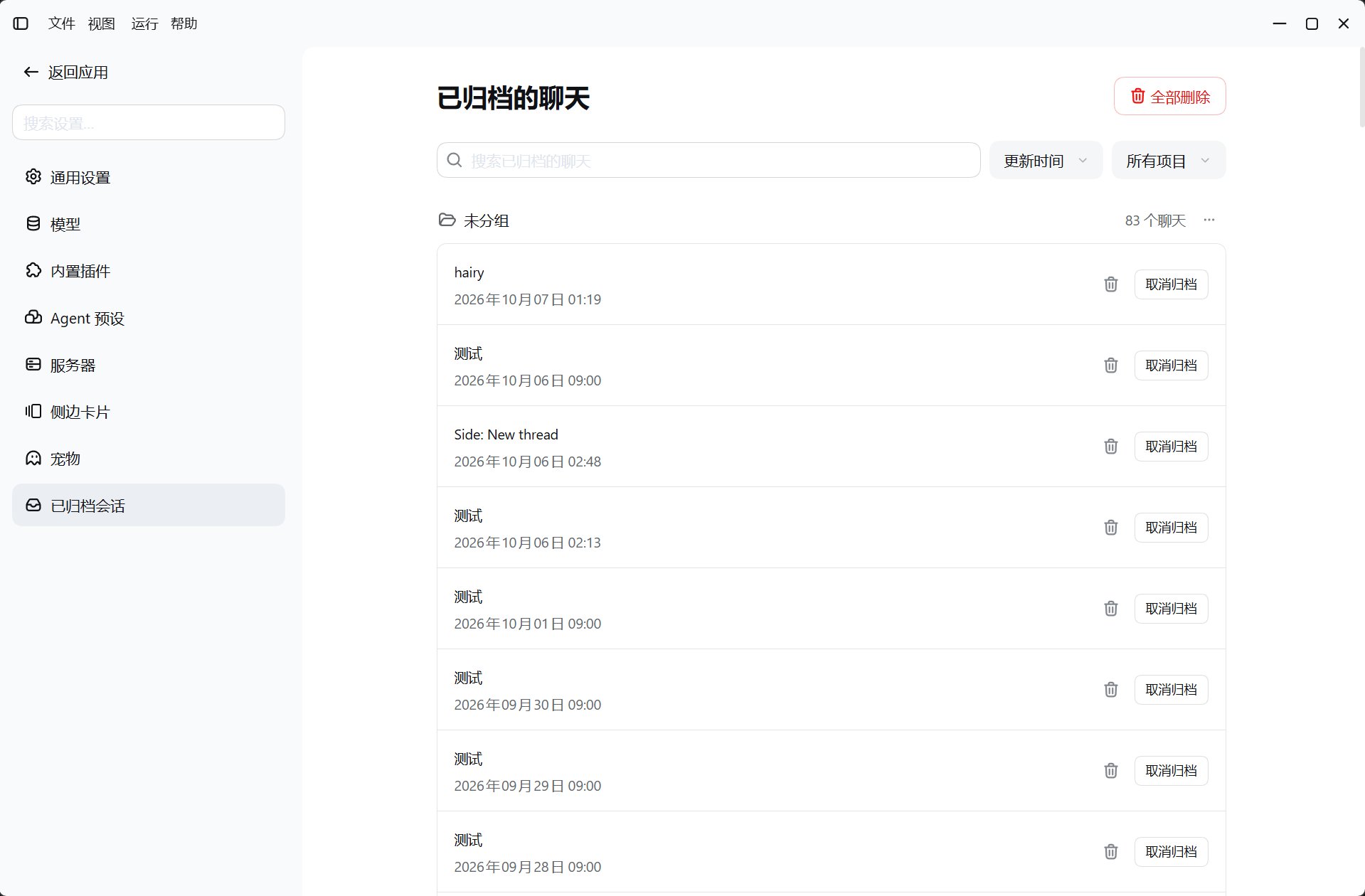
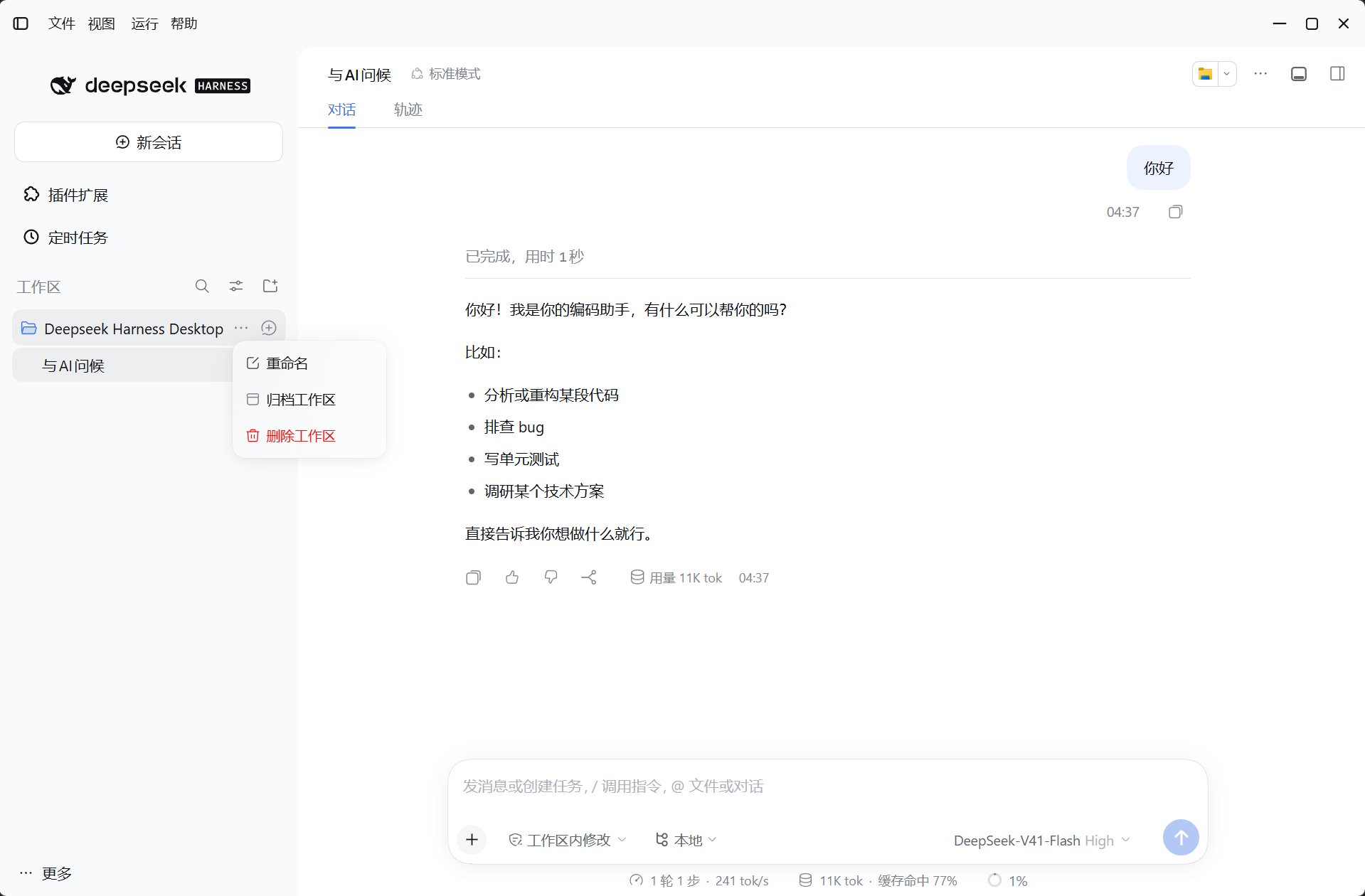
`dsh-tauri-archive` 提供**设置 → 已归档的聊天**,并将工作区菜单中的删除操作改为归档。
 ## 操作
* 搜索、排序、分组或按项目筛选归档聊天。
* 取消归档,将会话恢复到原工作区分组。
* 在工作区菜单归档该工作区的会话。
* 确认后彻底删除单个或全部归档聊天。
## 数据与边界
* 归档状态由宿主 `WorkspaceRegistry` 管理,不维护独立归档账本。
* 宿主路由前缀为 `/api/desktop/dsh-tauri-archive/session`。
彻底删除会移除归档记录与会话持久化目录,不能通过取消归档恢复。删除前备份需要保留的聊天。
[源码](https://github.com/dsh-tauri/deepseek-harness-desktop/tree/main/packages/dsh-tauri-archive)
This documentation is built and hosted on [Mintlify](https://mintlify.com), a developer documentation platform.
## 操作
* 搜索、排序、分组或按项目筛选归档聊天。
* 取消归档,将会话恢复到原工作区分组。
* 在工作区菜单归档该工作区的会话。
* 确认后彻底删除单个或全部归档聊天。
## 数据与边界
* 归档状态由宿主 `WorkspaceRegistry` 管理,不维护独立归档账本。
* 宿主路由前缀为 `/api/desktop/dsh-tauri-archive/session`。
彻底删除会移除归档记录与会话持久化目录,不能通过取消归档恢复。删除前备份需要保留的聊天。
[源码](https://github.com/dsh-tauri/deepseek-harness-desktop/tree/main/packages/dsh-tauri-archive)
This documentation is built and hosted on [Mintlify](https://mintlify.com), a developer documentation platform.